Security findings
Know which vulnerability matters.
Every night Lynx compares what is installed on your servers with what is known to be vulnerable. At the top is what can be reached from outside – and every finding says what to do and how long it takes.
The essentials
Public sources
OSV.dev, Ubuntu Security, NVD and endoflife.date – Lynx keeps no database of its own.
Critical means reachable
A vulnerability only counts as critical when the service has been seen reachable from outside.
Paths and checksums, no contents
For the web root the agent sends a file's path, checksum and size – never its contents.
01
Known vulnerabilities
Every night the agent builds the list of installed software; in the morning Lynx checks it against the public databases.
The check covers the distribution's packages plus PHP, web server, database, OpenSSL, the kernel and WordPress or Shopware 6 in the web root. Lynx compares versions by the same rules as Ubuntu's package manager, so a server that already has the fix does not get the finding again every night.
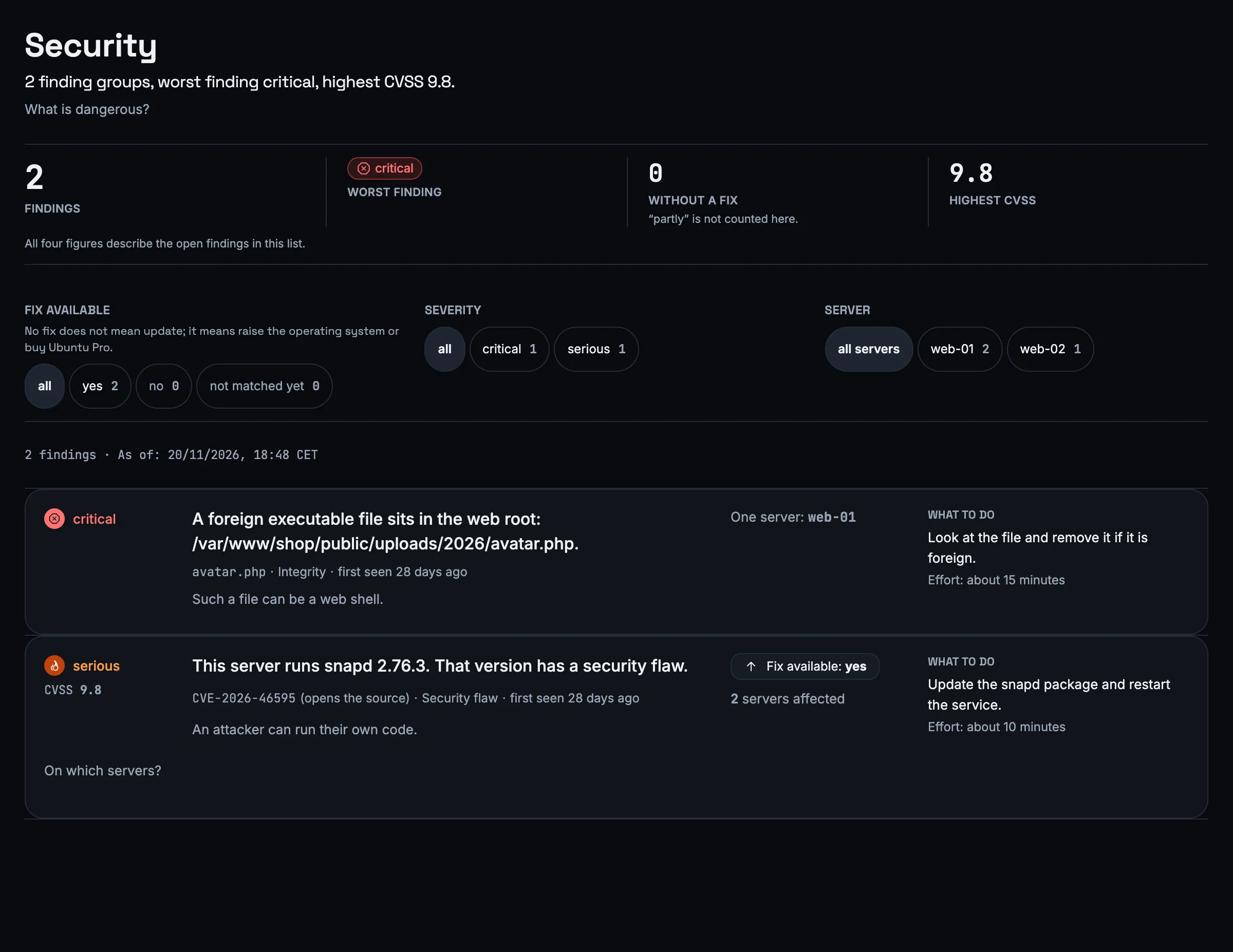
Every finding says in four fields what the problem is, what it means, what to do and roughly how long it takes – from ten minutes to four hours. The text is built from the data, not machine-translated; the source is linked.
A vulnerability on eleven servers is one row showing 11, not eleven rows. You can filter by server, severity and whether a fix exists; at the top are the number of findings, the worst one, those without a fix and the highest CVSS score.
02
Severity
Not every vulnerability with a high score is an emergency. Lynx rates it by what can really be attacked on your server.
If the affected service is not running at all, it stays a warning. A server running a different agent version than intended also shows up as a finding and disappears once the version is right.
Warning
CVSS 4.0 to 6.9
Serious
CVSS 7.0 or higher, but not measured as reachable
Critical
CVSS 7.0 or higher, attackable over the network and seen from outside by a probe location
03
End of life
Software that no longer receives security fixes is on the list too – such as PHP from a third-party source whose support has ended.
This is checked for software that does not come from the distribution itself, and for the operating system release. If a fix only exists through Ubuntu Pro, Lynx counts it as “no fix available” and advises upgrading the system or getting Ubuntu Pro.
Findings that cannot be fixed one by one are grouped per server: with the count, the worst severity and three examples.
04
New files in the web root
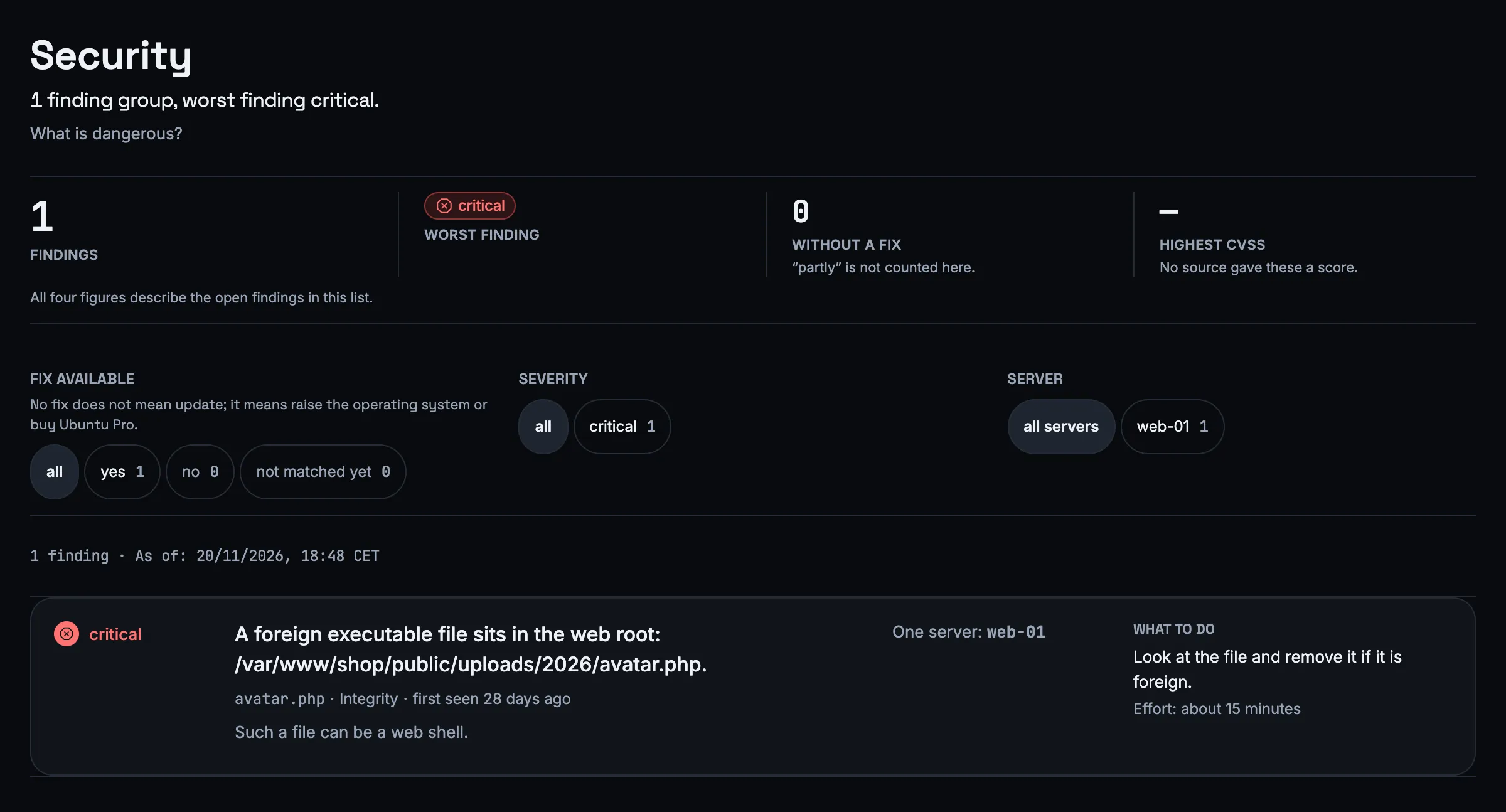
A planted PHP file is often the first sign of a break-in. Lynx notices when an executable file appears or changes in the web root.
The agent walks Apache's web roots and reports executable files – PHP, Perl, Python, CGI, shell scripts and .htaccess – with path, checksum, permissions, timestamp and size. It never sends a file's contents.
Lynx decides what is new, not the server: an attacker could change a baseline kept on the customer's server. A new file is critical, a changed one a warning, one that disappeared and came back serious. From 50 new or 20 changed files at once, Lynx treats them as one deployment and creates one finding.
The check runs once a day, needs Apache and is switched off at first. Once switched on, it can raise an alert as soon as new files are open.
05
What the system information adds
Some things are not findings but worth knowing. These details are shown in every server's system information.
They do not raise alerts; the weekly report, however, lists open and critical security findings.
An agency's end customers do not see the security findings, and they never appear on a public status page.
- pending updates, and how many are security updates
- “reboot required”
- open ports with process and user account
- how many ports are open from outside
- failed SSH logins in the last hour, counted only
06
What Lynx does not check
So you know where you stand: Lynx is monitoring, not a penetration testing tool.
The vulnerability check covers Ubuntu; the agent does not support other distributions anyway. Lynx does not check SSH settings, only whether the service is running. A new vulnerability does not trigger a notification – it appears in the list and in the weekly report.
Marking a finding as “seen” or “intended” is not possible yet; the list is a view. A finding disappears once the package is updated.
Frequently asked questions
Where does Lynx get the vulnerabilities from?
From public sources: OSV.dev, Ubuntu Security, the NVD and endoflife.date. Lynx keeps no database of its own and checks once a day.
Why is a vulnerability with CVSS 9.8 not critical for me?
Because Lynx only marks as critical what can be attacked over the network and has been reached from outside by a probe location. If the service is not reachable, it stays serious; if it is not running at all, a warning.
Does the agent send my files?
No. For the web root it sends the path, checksum, permissions, timestamp and size of executable files, never their contents. For the vulnerability check the names and versions of the packages are enough.
Am I notified about a new vulnerability?
Not one by one. New vulnerabilities appear in the list and in the weekly report. The web root check can notify you if you switch it on.
Who sees the security findings?
The account's owners, technicians and readers. An agency's end customers do not see them, and they never appear on a public status page.
More features
See what is vulnerable on your servers.
Install the agent – the list is ready the morning after the first night.