Status pages
Show openly that everything is running.
A status page answers the question before your customers call: is it running – and if not, do you already know? It shows the monitors you choose, their state and availability, under your name and, if you like, on your own domain.
The essentials
90 days of history
A strip of the last 90 days and the availability in per cent for every monitor.
Your domain, our certificate
Two DNS records, then Lynx fetches and renews the certificate from Let’s Encrypt by itself.
Nothing about your setup
No causes, no locations, no versions, no ports – your customers see whether it is running.
01
What your customers see
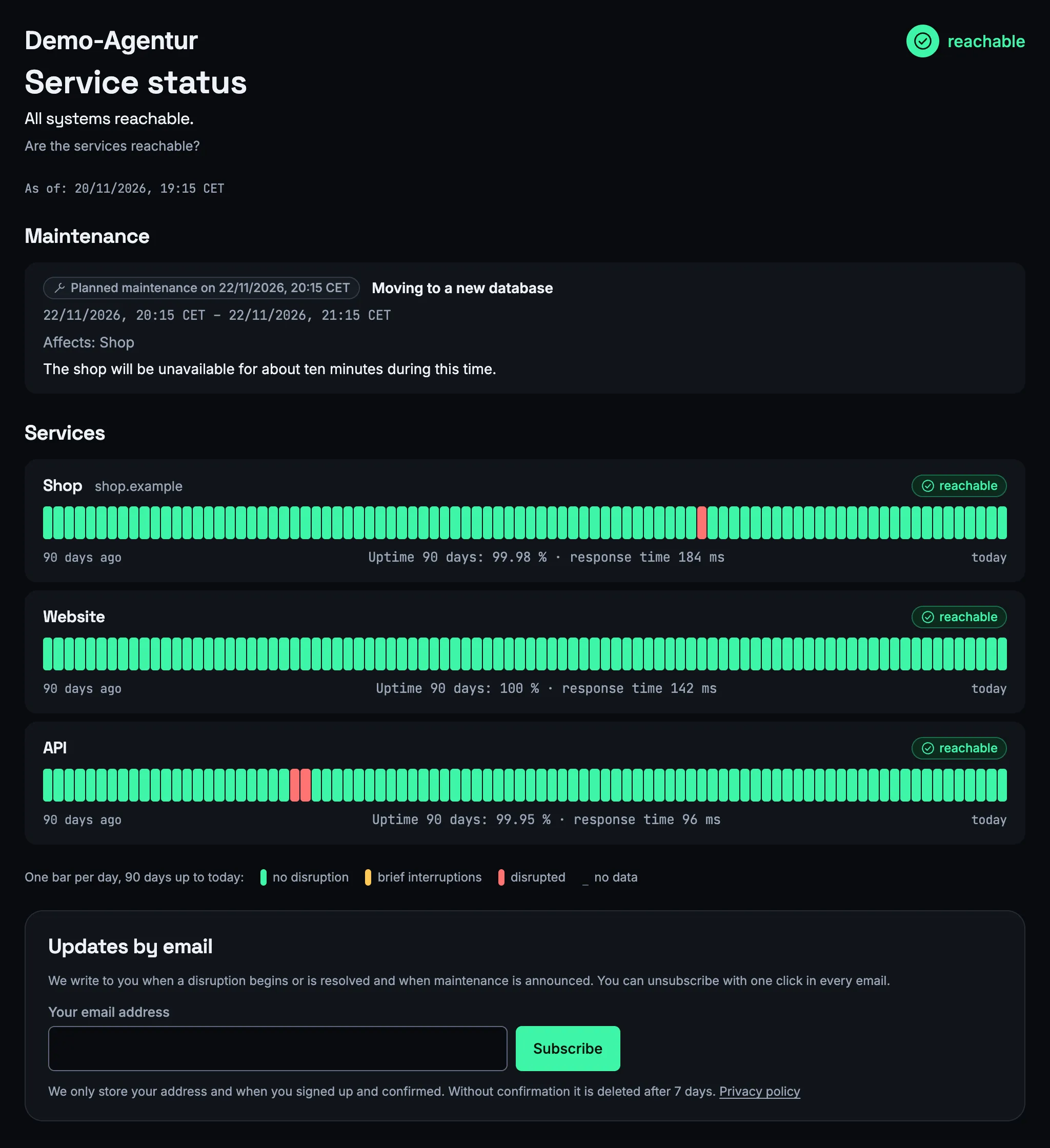
At the top one sentence on the overall state, below it every service with its state: operational, degraded, down, maintenance or no data.
For every service it shows the public name you choose, the availability and the response time, plus a strip with one field per day of the last 90 days – 30 on a narrow screen. The service's address only appears if you release it. If you like, the page lists the incidents of the last 7, 30 or 90 days.
What the page never shows: causes, probe locations, intervals, certificates, packages and ports. If only some locations see an error, the service shows as “degraded” – honest, without an alert.
The page is available in German and English: visitors choose, otherwise your account's language applies. Times are shown in your account's time zone, and the title carries your name, not ours.
02
Set up in a few steps
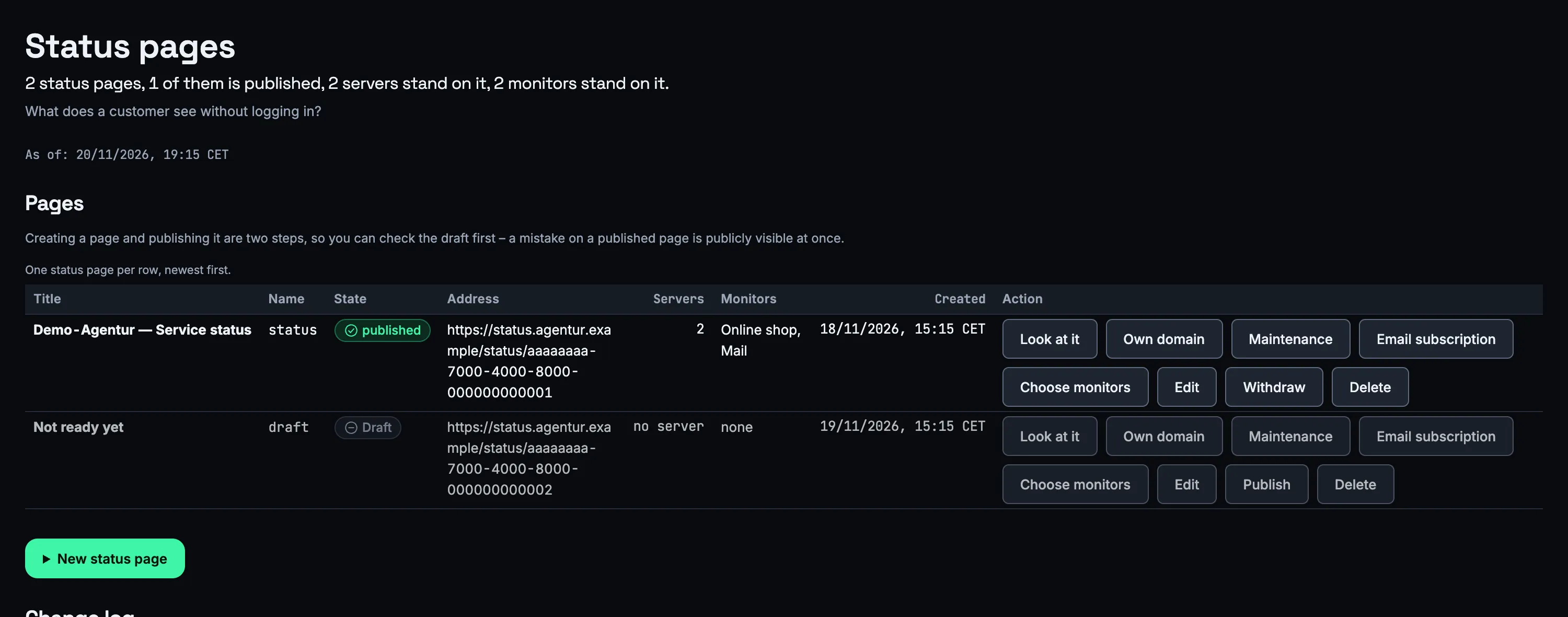
Title, a short name for the address, the monitors that should appear – done. A new status page starts as a draft.
Only when you publish the page can it be reached: at an address nobody can guess and at /status/ with the short name you chose. If you unpublish it, both addresses are closed again.
A status page carries noindex: people find it through your link, not through a search engine. How many status pages a plan includes is shown on the pricing page.
03
On your own domain
status.your-company.example instead of an address with us – with a certificate you do not have to look after.
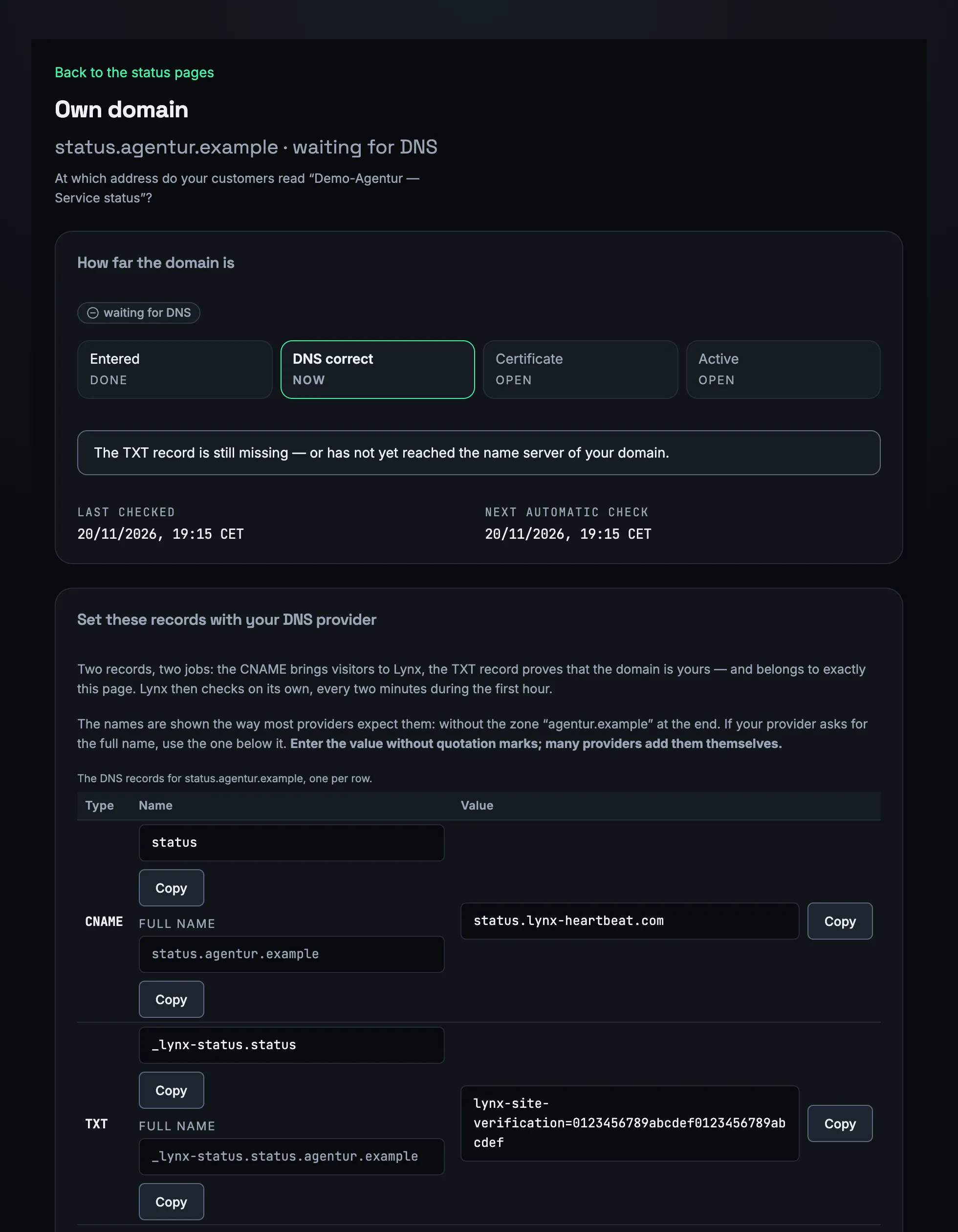
You create two DNS records: a CNAME from status to status.lynx-heartbeat.com and a TXT record that lets Lynx check that the domain belongs to you. For the root domain itself you use A and AAAA records instead of the CNAME.
Lynx checks the records, fetches the certificate from Let’s Encrypt and renews it by itself 30 days before it expires. Up to three own domains are possible per account.
Your own domain is included from the Team plan.
04
Announce maintenance
Say beforehand when work is planned – with a title, time range, text and the affected services.
A maintenance period can last up to 28 days. The page shows it beforehand, while it runs and for 14 days afterwards. By default the alerts for the affected services are muted for that time.
Lynx does not write incidents by hand but from the measurements: what the page shows has been measured.
05
Email subscriptions
Your customers do not have to check: they get an email when an incident starts and when it is resolved, and when maintenance is announced or cancelled.
Signing up needs confirmation: the link in the email opens a page with a button – merely opening it confirms nothing. Unsubscribing takes one click, also straight from the mail program.
Only the address and the times are stored; Lynx deletes unconfirmed sign-ups after seven days. For the form to appear, you enter the address of your privacy policy.
Frequently asked questions
Do my customers see why something failed?
No. The status page shows the state, availability and response time of the services you choose – never causes, probe locations, certificates, packages or ports.
How many status pages can I create?
Start includes 1, Team 3, and in the Agency plan every client account has its own. Your own domain is included from the Team plan.
Who takes care of my domain's certificate?
Lynx. Once the two DNS records are in place, Lynx fetches the certificate from Let’s Encrypt and renews it by itself 30 days before it expires.
Can people find the status page through search engines?
No, it carries noindex. People reach it through the address you share – or through your own domain.
What does a subscription store?
The email address and the times of sign-up and confirmation, nothing else. Unconfirmed sign-ups are deleted after seven days, and every email contains an unsubscribe link.
More features
Your first status page – in a few steps.
Choose monitors, publish, share the link – or put it straight on your own domain.